Indexes
Document indexes organize documents into browseable groups generated from document properties and metadata. For example, an index can group documents by correspondent, by issue year and month, or by a combination of both.
How Indexes Work
An index consists of three parts:
- A document index defines the name and overall purpose of the index.
- Index templates describe how to generate each level of the hierarchy.
- Index values are the rendered groups that users browse.
Templates form a tree. A template with no parent creates the root level, and a template with the root as its parent creates the next level beneath it, and so on. The tree can have multiple root levels. A template marked Is Leaf ends a branch and associates matching documents with the rendered value.
For example, an index with a year template and a child month template can produce this hierarchy:
The year template is not a leaf because users continue from a year into its months. The month template is a leaf because selecting a month opens its documents.
Every usable branch must reach a template marked Is Leaf. Autofile will not save a partial path when a branch ends without a leaf.
Create An Index
- Open Indexes from the main navigation.
- Select New Document Index.
- Enter a Slug, Name, and optional Description.
- Leave Enabled selected if document changes should update the index automatically.
- Select Save.
The slug is a stable identifier and cannot be changed after the index is created. It may contain lowercase letters, numbers, hyphens, and underscores.
The index is initially empty because it does not have any templates. Open the index row's action menu and select Edit Templates to define its hierarchy.
Create Index Templates
Select New Document Index Template for each level of the index. Configure these fields:
| Field | Description |
|---|---|
| Template | A MiniJinja template that renders the value for this level. |
| Parent Template | The preceding level in the hierarchy. Leave this empty for a root template. |
| Is Leaf | Ends the branch and associates documents with its rendered values. |
| Enabled | Stored with the template. See the current limitation below. |
Create and save a parent template before creating its child so that the parent appears in the Parent Template list.
Template Enabled limitation
The template-level Enabled setting is not currently applied when Autofile builds an index. All templates are evaluated. The index-level Enabled setting does control whether document changes queue automatic index updates.
Write Templates
Index templates use MiniJinja syntax. Autofile supplies the current document as doc.
Use an output expression to turn a document value into an index value:
Document metadata is a map keyed by Metadata Type slug. Bracket notation makes the key explicit:
The template context contains these fields:
| Field | Value |
|---|---|
doc.id |
Document ID. |
doc.title |
Document title. |
doc.document_type_id |
Document type ID. |
doc.document_type |
Document type slug. |
doc.metadata |
Metadata values keyed by metadata type slug. |
doc.cabinet_ids |
Cabinet IDs assigned to the document. |
doc.cabinets |
Cabinet slugs assigned to the document. |
doc.tag_ids |
Tag IDs assigned to the document. |
doc.tags |
Tag slugs assigned to the document. |
doc.created_by |
ID of the user who created the document. |
doc.created_at |
Document creation timestamp. |
doc.updated_by |
ID of the user who last updated the document. |
doc.updated_at |
Document update timestamp. |
Missing And Empty Values
If a template renders an empty or whitespace-only result, Autofile skips that template and its descendants for the document. This is useful because documents without the relevant metadata do not create empty index groups.
Guard operations such as string slicing when metadata may be absent. Accessing a missing metadata item returns an undefined value, but applying another operation to that value can fail:
Autofile stores non-empty rendered text exactly as produced. Avoid unintended leading or trailing whitespace because it becomes part of the index value.
Test A Template
Templates are not syntax-checked when they are saved. Test each expression against a representative document before rebuilding an index:
- Open a document.
- Select Template Test from the document menu.
- Enter the template.
- Select Run Test.
- Confirm the rendered value or correct the reported error.
Test documents that contain the referenced metadata and documents where it is missing. The Template Test page uses the same document context and template engine as index generation.
Example: Correspondent
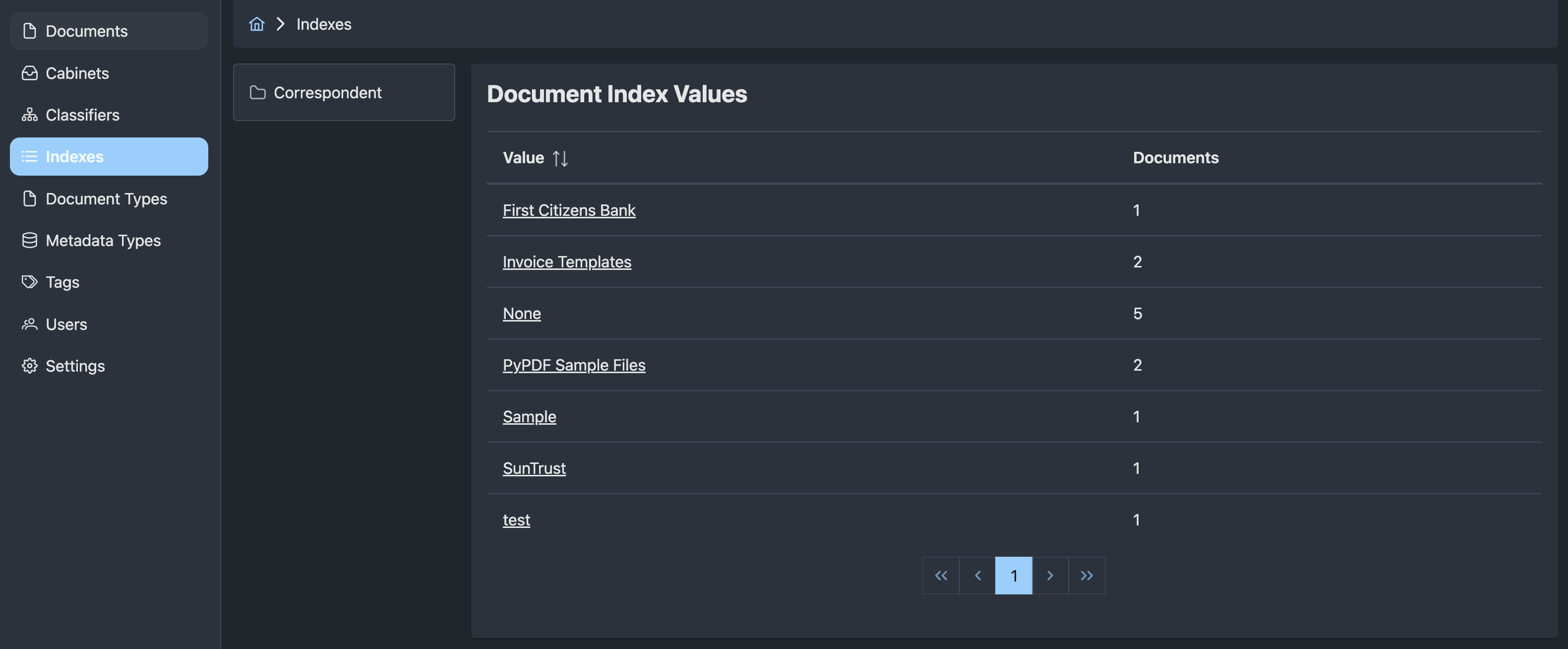
This index creates one group for every value of the correspondent metadata field.
Create one template with no parent and select Is Leaf:
The result looks like:
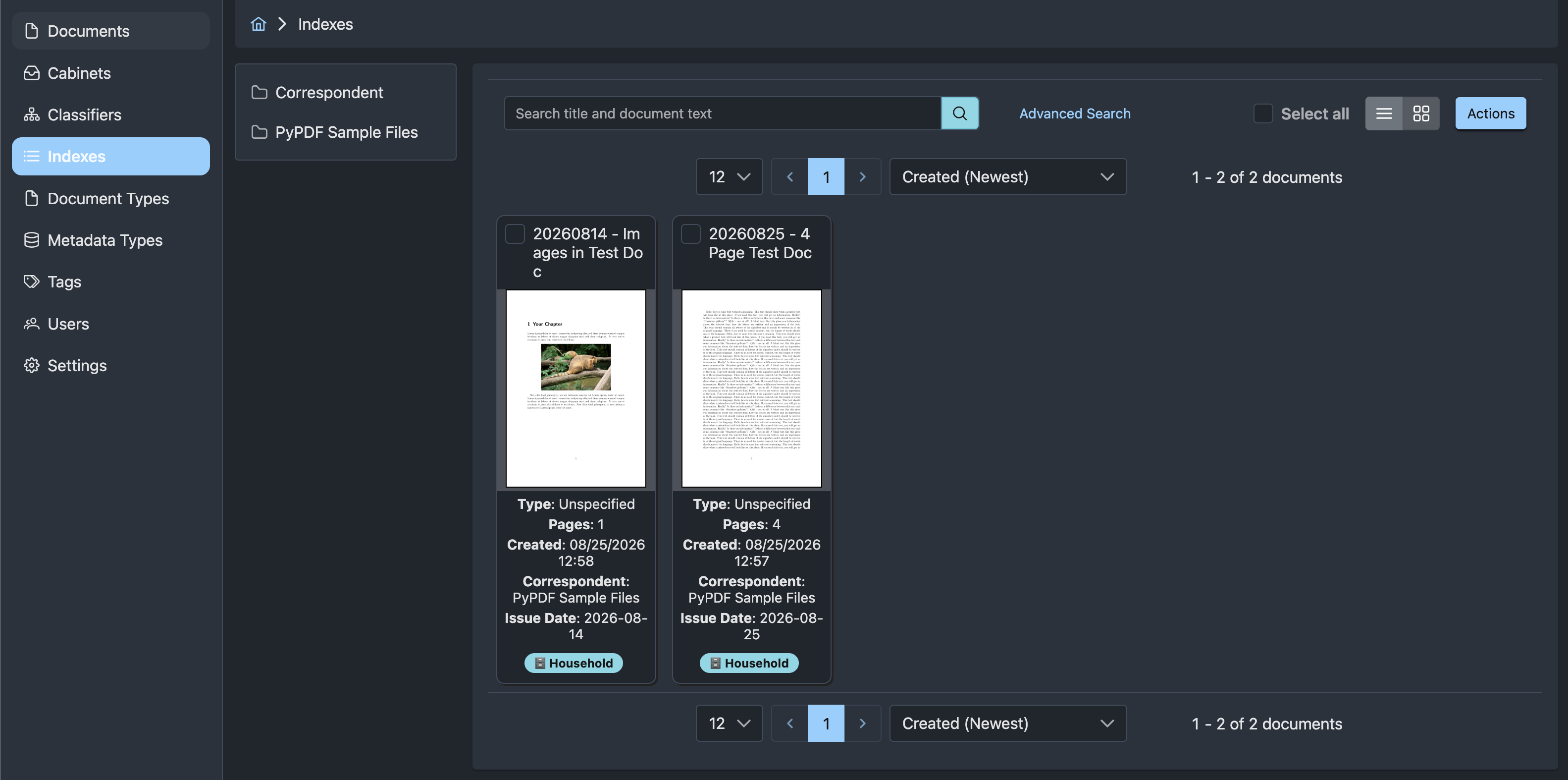
Selecting a correspondent opens the documents assigned to it. A document without Correspondent metadata is omitted from the index.
Example: Issue Date By Year And Month
Issue Date metadata uses the issue_date slug and stores dates as YYYY-MM-DD. Create two templates to build separate year and month levels.
First, create a root year template. Do not select Is Leaf:
Next, create a month template. Select the year template as Parent Template and select Is Leaf:
For an Issue Date of 2026-08-25, the templates render 2026 and 08:
The zero-padded month values sort in calendar order.
Example: Correspondent By Issue Month
This index first groups documents by Correspondent and then by the year and month of Issue Date.
Create a root Correspondent template. Do not select Is Leaf:
Create an Issue Date year-month template. Select the Correspondent template as Parent Template and select Is Leaf:
For an Issue Date of 2026-08-25, the second template renders 2026-08:
The same year-month value can appear under more than one correspondent. Each occurrence belongs to its own branch.
Build And Update An Index
After creating or changing templates, return to Indexes, open the index row's action menu, and select Rebuild Index. Rebuilding runs as a background job and processes all documents.
Template changes do not automatically rebuild existing index values. Without a rebuild, existing documents may continue to use values generated from an earlier template configuration until another document change updates them.
Rebuild progress
Rebuild Index queues work and returns immediately. A rebuild removes the existing generated values before recreating them, so the index can appear empty or incomplete while the job is running. See Background Jobs if rebuilding appears stuck.
When an index is enabled, relevant document changes queue an update for that document. Autofile adds new memberships, removes stale memberships, and deletes generated values that are no longer used. Disabling an index stops new automatic update jobs but does not remove its existing values.
Browse An Index
Open Indexes and select an index's slug or name to browse its generated values.
- Selecting a non-leaf value opens the next level.
- Selecting a leaf value opens the documents assigned to it.
- The Documents count includes distinct documents below that value and all of its descendants.
- The path menu provides navigation back through parent values and the index root.
To see where one document appears, open the document and select Indexes. The page lists each index membership as a complete path, such as Acme Corporation / 2026-08.
Troubleshooting
If expected values or documents are missing:
- Test every template against an affected document using the Template Test document action.
- Confirm metadata keys use slugs such as
correspondentandissue_date, not display names such asCorrespondentandIssue Date. - Confirm every branch ends at a template marked Is Leaf.
- Confirm child templates have the intended Parent Template.
- Guard operations on metadata that may be missing.
- Rebuild the index after changing its templates.
- Check the API logs and Redis connectivity if a queued rebuild does not progress.